Tennis Mode
Live tennis scores for Even Realities G2. The first live tennis app for the Even G2: real-time ATP and WTA scores rendered to the heads-up display, plus a built-in score tracker for your own matches.
Available now on Even Hub · Published April 27, 2026
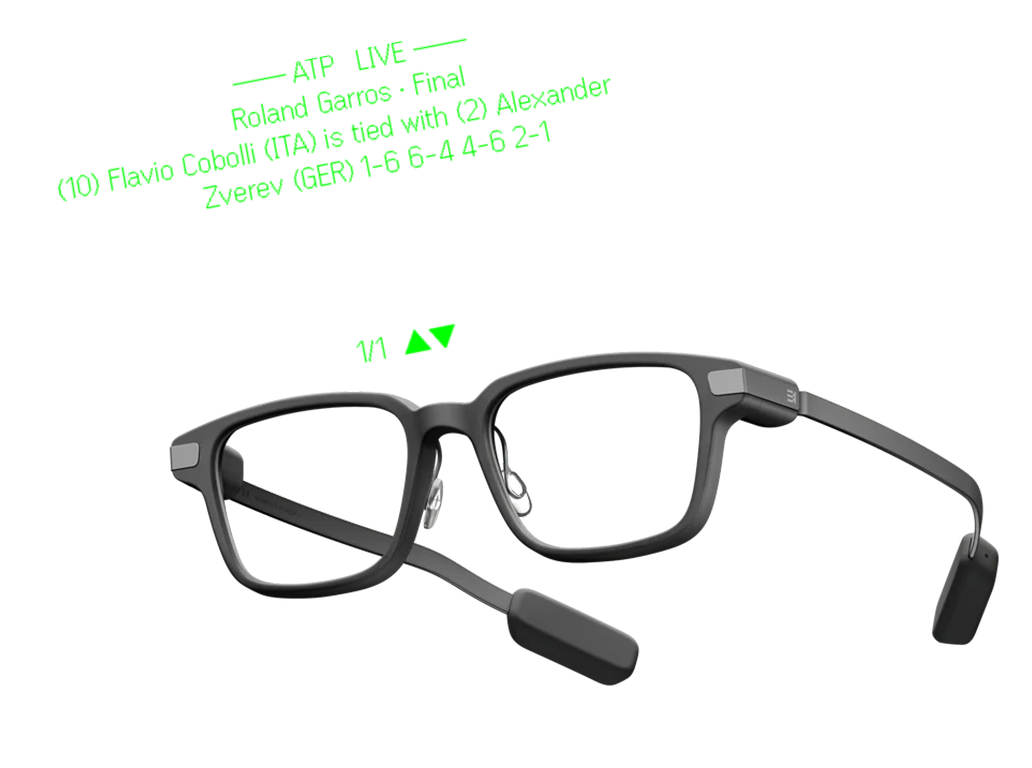
No app on the Even Realities G2 covered live tennis, and as far as I could find, no smart glasses tennis app existed on any platform. A few apps surfaced scores for other sports, but live tennis was an open gap, so I built the app I wanted to wear.
Tennis Mode brings live ATP and WTA tennis directly to your Even Realities G2 glasses: real-time scores, tournaments, rankings, player profiles, favorites, news, and match tracking in a fast, glanceable interface built for quick access.
Follow live matches, browse tournaments, view Top 150 rankings, track favorite players, and open match details with scores, round, court, schedule, and recent results. Built specifically for lightweight, distraction-free use on G2.

Tennis is my sport. I play it, and it’s my favorite to watch, which is exactly why it was the right first deep build for the G2. I knew the data, the formats, and what a fan actually wants to see at a glance.
That domain knowledge shaped every screen: what belongs on a heads-up display mid-match, what can wait for the phone, and how to surface a score in the half-second someone glances up.
I also knew I wasn’t building a plain scoreboard. As a power user I wanted it detailed and heavily customizable: live scores, past matches, rankings, scheduled matches, a way to track my own matches while I played, live news, and the ability to favorite players so the ones I follow surface first.
I built the app I wanted to wear.
The G2 renders a monochrome green HUD over Bluetooth. Every screen is built for that constraint: high contrast, minimal chrome, and information ordered by what matters most at a glance.
Tennis scoring is information-heavy: sets, games, points, server, tiebreak state, round, court. Fitting all of that onto a few glanceable lines without losing meaning was the real design problem, closer to editing than building.
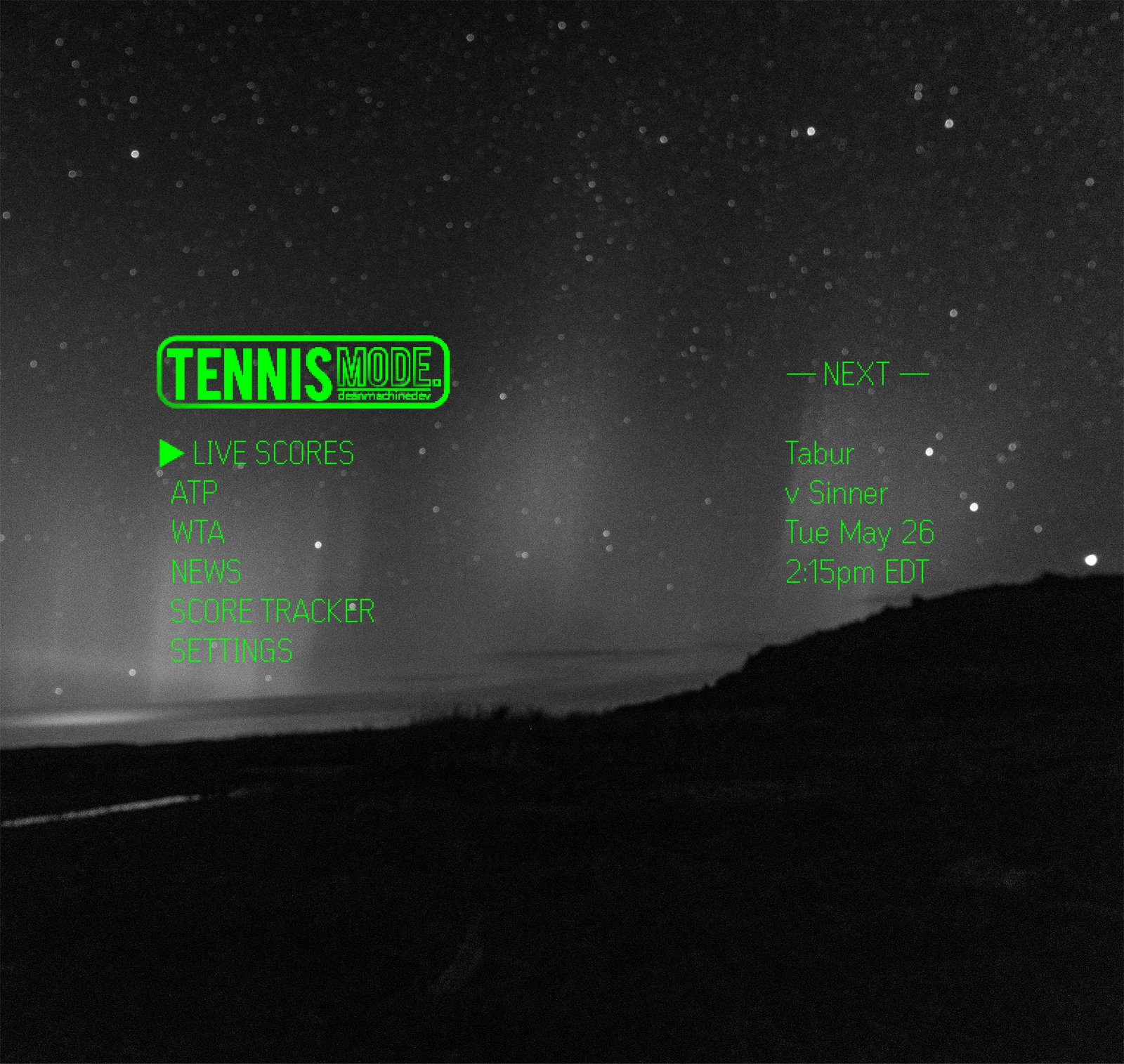
Tennis Mode’s Tennis Pulse panel is fully positionable across top-left, horizontal, vertical, and every format in between, so the HUD sits wherever it’s least in your way and most useful to you.
The home panel is customizable too: choose ATP or WTA, pick the favorite players you want surfaced, show your scheduled matches, and more. It’s your dashboard, arranged your way.
The same flexibility applies to the built-in score tracker for your own matches, so you can keep your points in whatever format and position fits how you play.

All settings, favorites, news, players, and score tracking live in a redesigned mobile companion. The glasses stay clean and glanceable; the phone holds the depth.
The score tracker on your phone syncs live to the glasses. Start a match on mobile, keep your points updated, and see it on the HUD. Favorites and player profiles (like Alcaraz here) are managed on the phone and surfaced on the display.
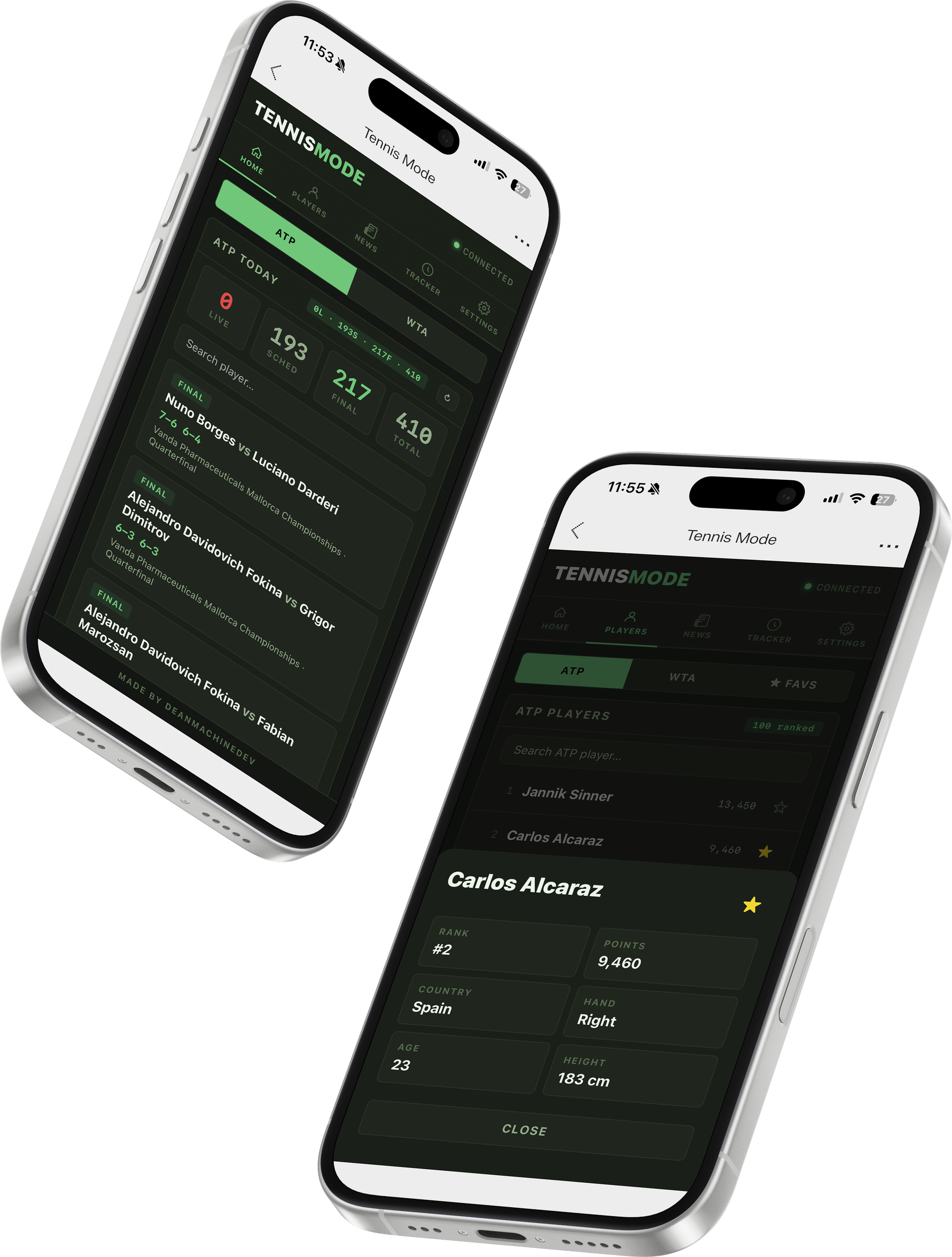
Live matches and match tracking. Tournament browsing. Top 150 rankings. Favorite players. News. Full player profiles with country, age, height, handedness, ranking, and points. Customizable Tennis Pulse panel modes and new graphics throughout.
It also works when you are the one playing. A built-in score tracker keeps sets, games, and points for your own matches on the glasses, so the same Even G2 match tracker that follows the tour follows your Saturday morning too. No phone in your pocket, no scorecard, no losing count at 30–30.
 Live Scores
 Past Scores
 Player Profiles
 Rankings
 Schedule
 Tournament
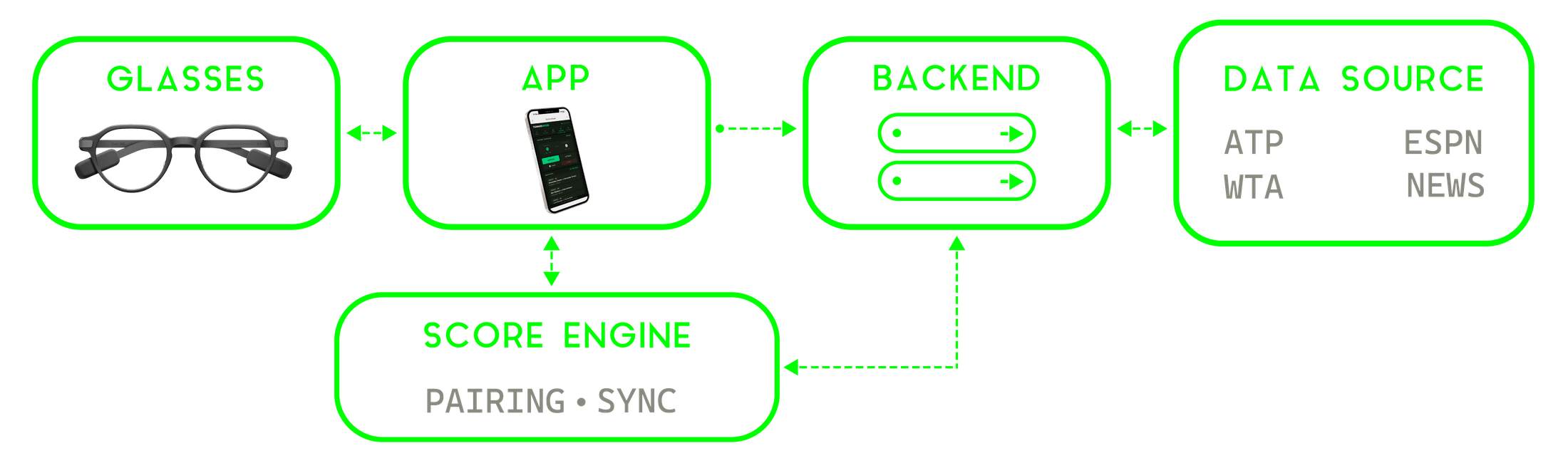
On-device interface, backend, and the data layer between them. Messy upstream data, tricky ATP/WTA scoring, and a byte-sensitive render pipeline: all solved along the way.
Live on Even Hub since April 2026: the first live tennis app on the platform, with 1,900 listing views and 151 installs.